Screenshots
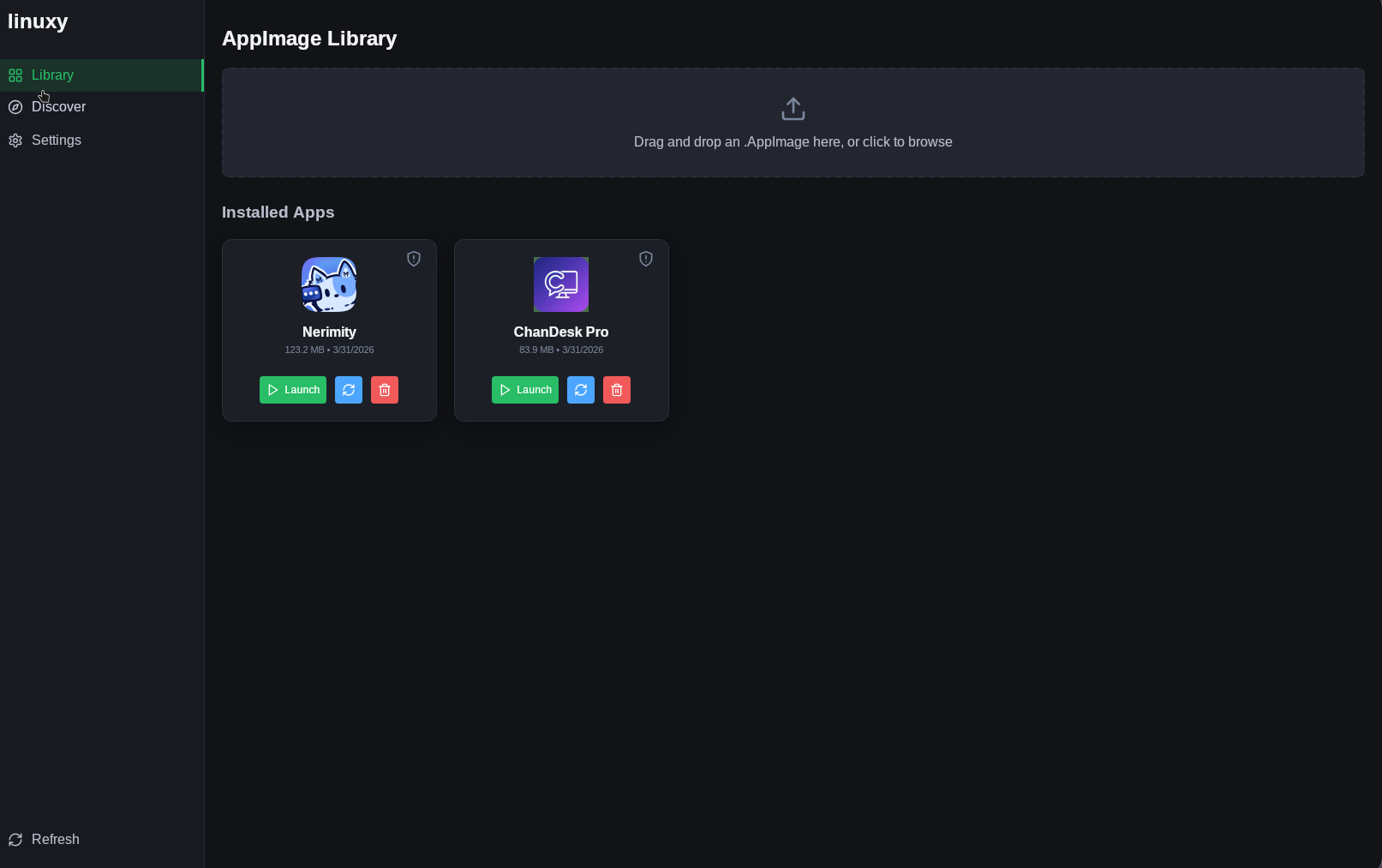
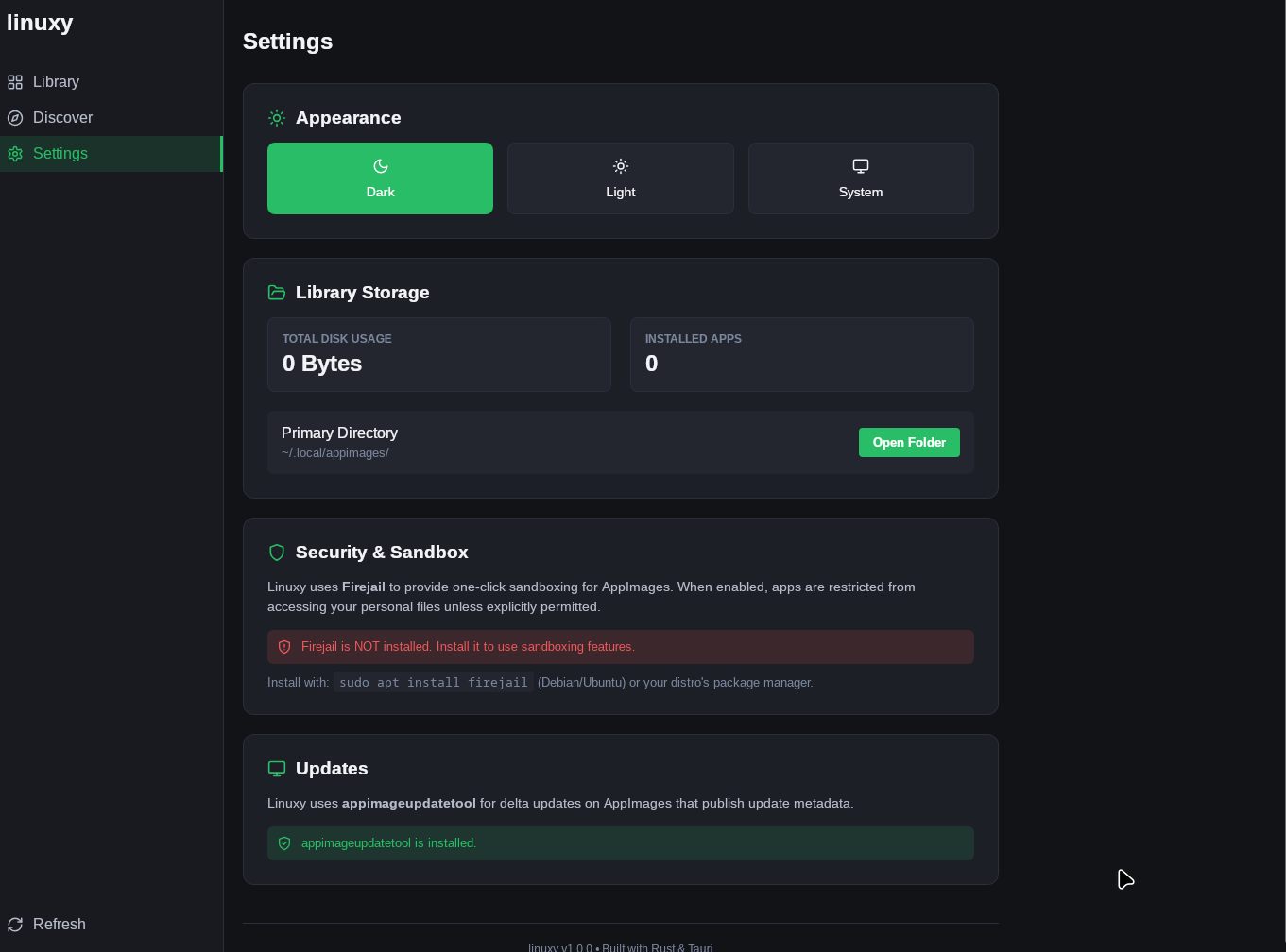
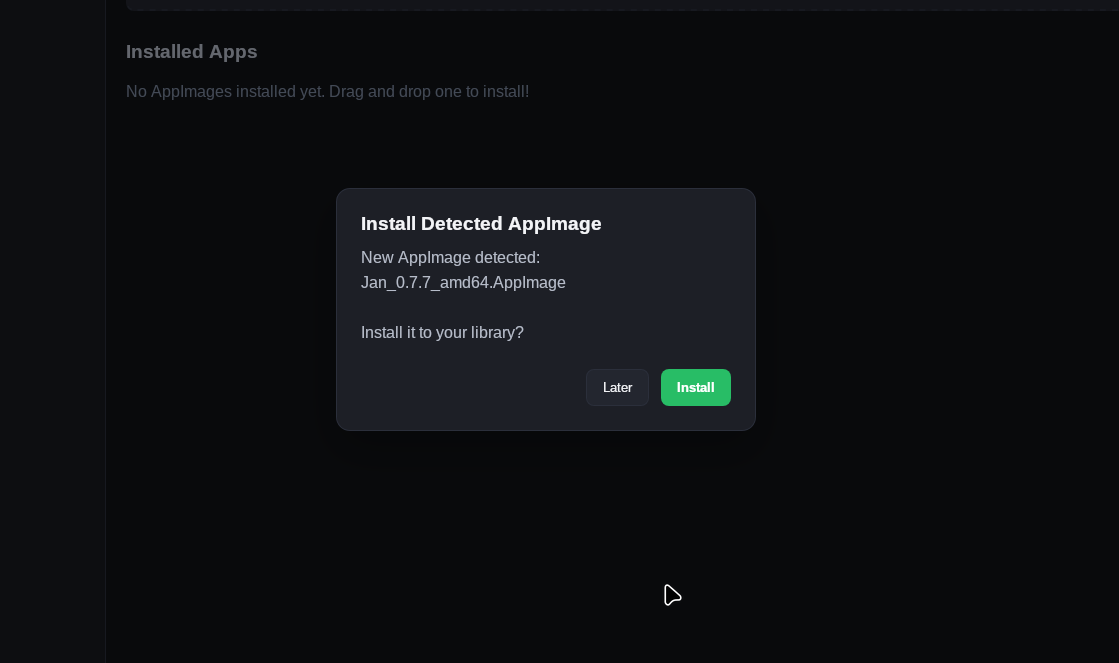
Beautiful by Design
A clean, modern interface that makes managing AppImages a joy

Install, organize, and sandbox your AppImages with a single click. Simple, secure, and beautifully designed.
A clean, modern interface that makes managing AppImages a joy
Everything you need to manage AppImages on Linux
Drag and drop AppImage files to install them instantly. Automatic desktop entry creation and icon extraction.
Run apps in a secure sandbox with a single click. Toggle sandboxing per application for extra security.
Built-in update checking keeps your AppImages up to date. Supports delta updates when available.
Modern dark theme with system-follow support. Clean, responsive interface built with React and Tauri.
Monitor disk usage, see installation dates, and manage all your AppImages from one place.
Browse and discover new AppImages directly from the integrated AppImageHub catalog.
Get started in three simple steps
Download the DEB/RPM package from GitHub releases or build from source.
Drag and drop files or discover apps from the built-in AppImageHub store.
One-click launch, optional Firejail sandboxing, automatic updates. Done!
Choose your preferred installation method
The easiest way to install Linuxy. Automatically detects your OS and installs the perfect package (DEB, RPM, or AppImage).
Any Linux Distribution
Join thousands of Linux users managing their AppImages the modern way.
Get Started NowAppImage is a universal package format for Linux. It's a single executable file containing an application and all its dependencies, allowing you to run software without installation or root access.
Firejail is optional but highly recommended. Linuxy works perfectly without it, but
Firejail adds an essential security layer by sandboxing your AppImages. Install
with: sudo apt install firejail
Linuxy stores AppImages in ~/.local/appimages/ and creates desktop
entries in ~/.local/share/applications/ for easy access from your
application menu.
Yes! Linuxy is 100% free and open source under the MIT license. There are no premium features or payments.
Linuxy runs on any Linux distribution. We provide DEB and RPM packages for major distros, plus AUR for Arch Linux, with source code available for all others.
Please open an issue on our GitHub Issues page. We welcome bug reports, feature requests, and contributions!